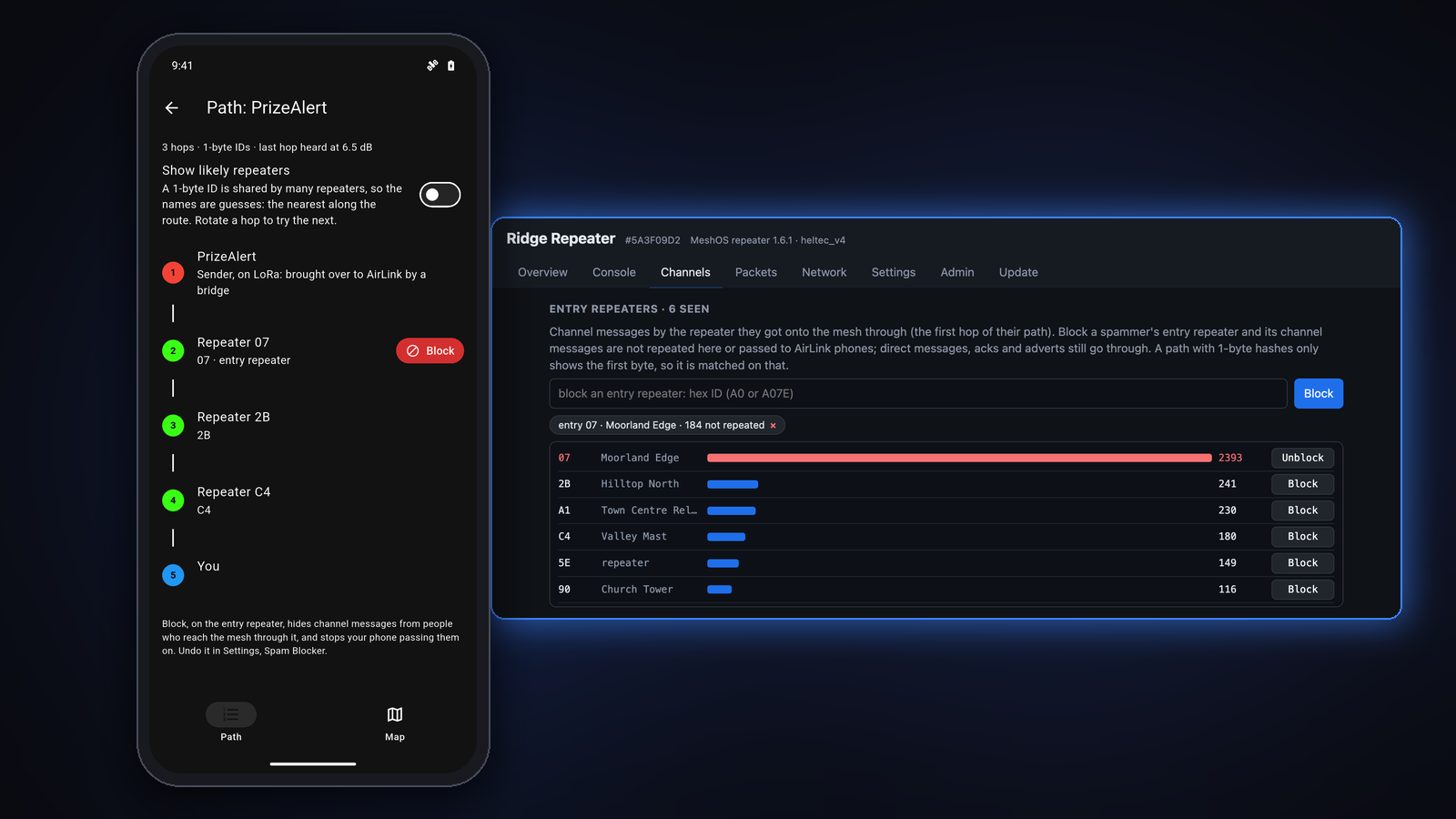
Every so often someone decides the Public channel needs their prize draw, their bot, or the same message forty times an hour. MeshCore has no central server that can switch them off, which is rather the point of it, but it does mean the tools have to live on the mesh itself: on your phone and on your repeaters. MeshOS now has both, and they work the same way, so this post starts with the quick fix in the app and then moves on to the repeater side.
The trick: block the entry repeater, not the channel
Every channel message carries its path, the list of repeaters it went through on its way to you. The first one in that list is the repeater the sender reached the mesh through, which I call the entry repeater. Someone spamming from home goes in through the same nearby repeater every time, so their messages always start with the same ID.
Block that entry repeater and their channel messages stop, without blocking Public for everyone else. Messages from further away that only pass through that repeater are not affected, and neither are direct messages, acks or adverts.
One thing worth knowing: anyone else whose first repeater is the same one is blocked too, and with 1-byte IDs (there are only 256 of them) a few repeaters can share an ID. So it is a tool for a real nuisance, not something to hand out lightly.
The easy way: the MeshOS app
In the MeshOS app (1.0.25 or later) it takes a couple of taps, straight from the spam itself:
- Long-press one of their messages and tap Path, the route icon in the bar at the top.
- The Path screen lists every hop from the sender to you, and the first repeater after the sender is the entry repeater. Tap the red Block beside it, then Block again to confirm.
- Their messages disappear straight away, and the button changes to Blocked.
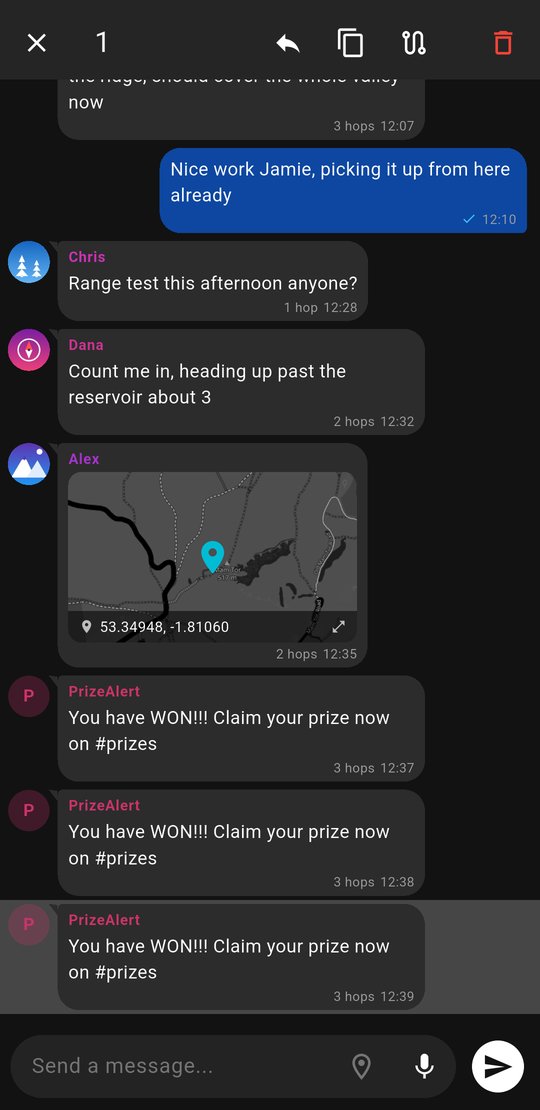
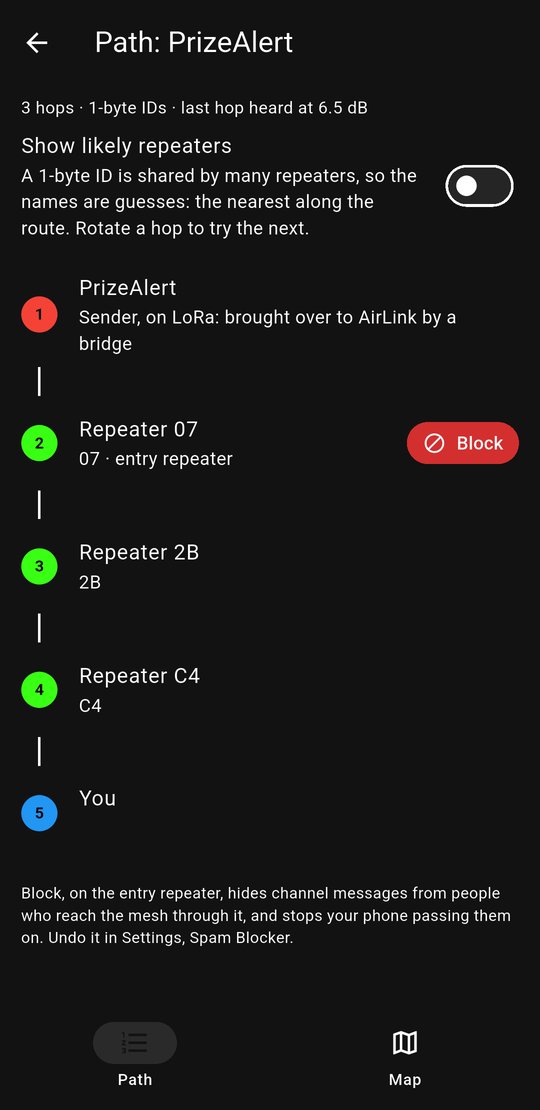
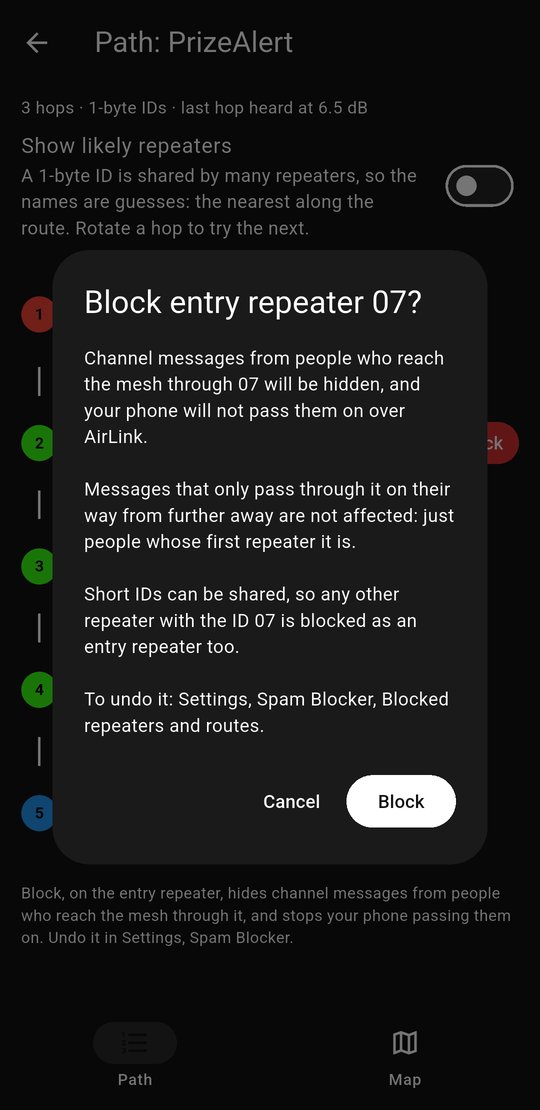
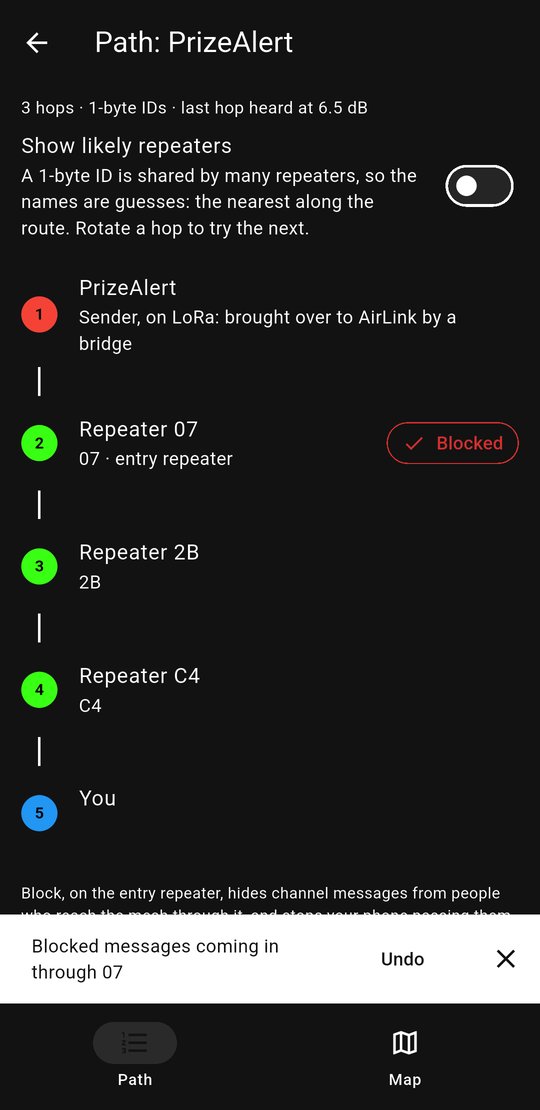
It works whether the message reached you through your radio or over AirLink from nearby phones, and it also stops your phone passing those messages on to other AirLink phones.
What it does not do is stop the spam on the mesh. Your phone hides it, but the repeaters around you still repeat it for everyone else. That is why I think of the app as the quick fix: perfect for shutting out a nuisance for an evening, and just as easy to undo. Tap Blocked to remove it, or find it in Settings.
Spam Blocker in Settings
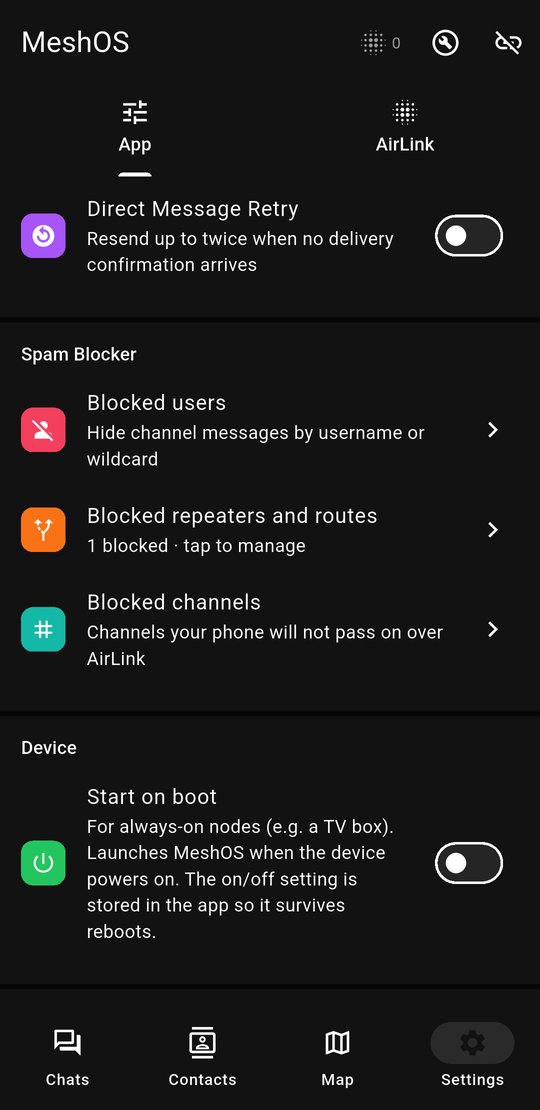
Everything lives together in Settings, under Spam Blocker:
- Blocked users hides messages by name. Wildcards work:
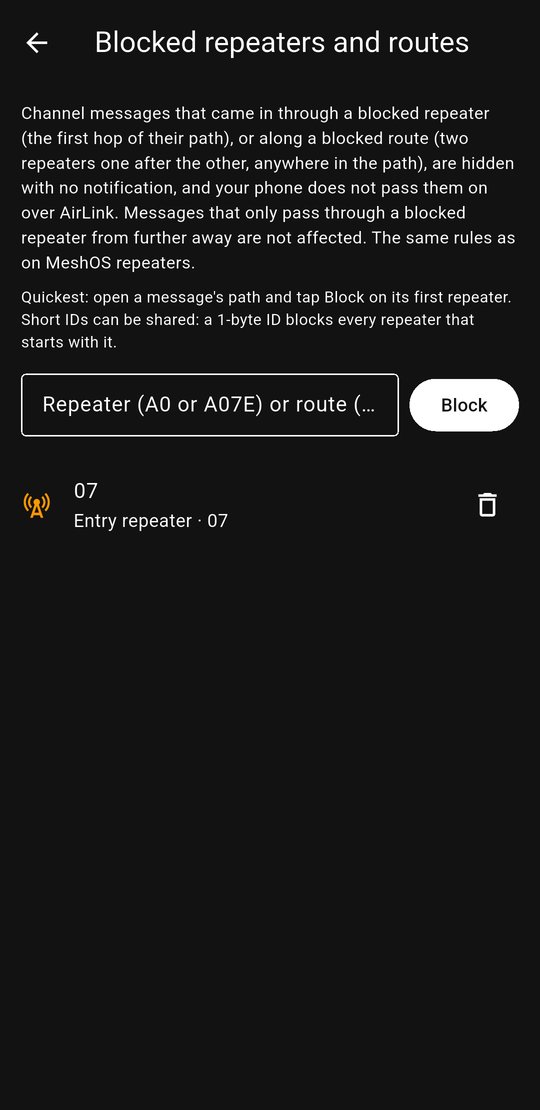
*for anything,?for one character and#for one digit, so########hides those random eight-digit names that turn up from time to time. - Blocked repeaters and routes lists your entry repeater blocks, with a bin to remove each one. You can type in an ID yourself, or a route: two repeaters one after the other, written
45>A1. - Blocked channels are channels your phone will not pass on over AirLink. To stop seeing a channel yourself, just leave it.
For good: on your MeshOS Repeater
If you run a repeater you can stop the spam at the source, for everyone who listens to it. MeshOS Repeater 1.6.1 has the same entry repeater block, and its web page shows you exactly where the junk is coming from. (The screenshots below come from a demo setup, so the repeaters and their names are made up.)
Channels tab: what is busy, and where it comes in
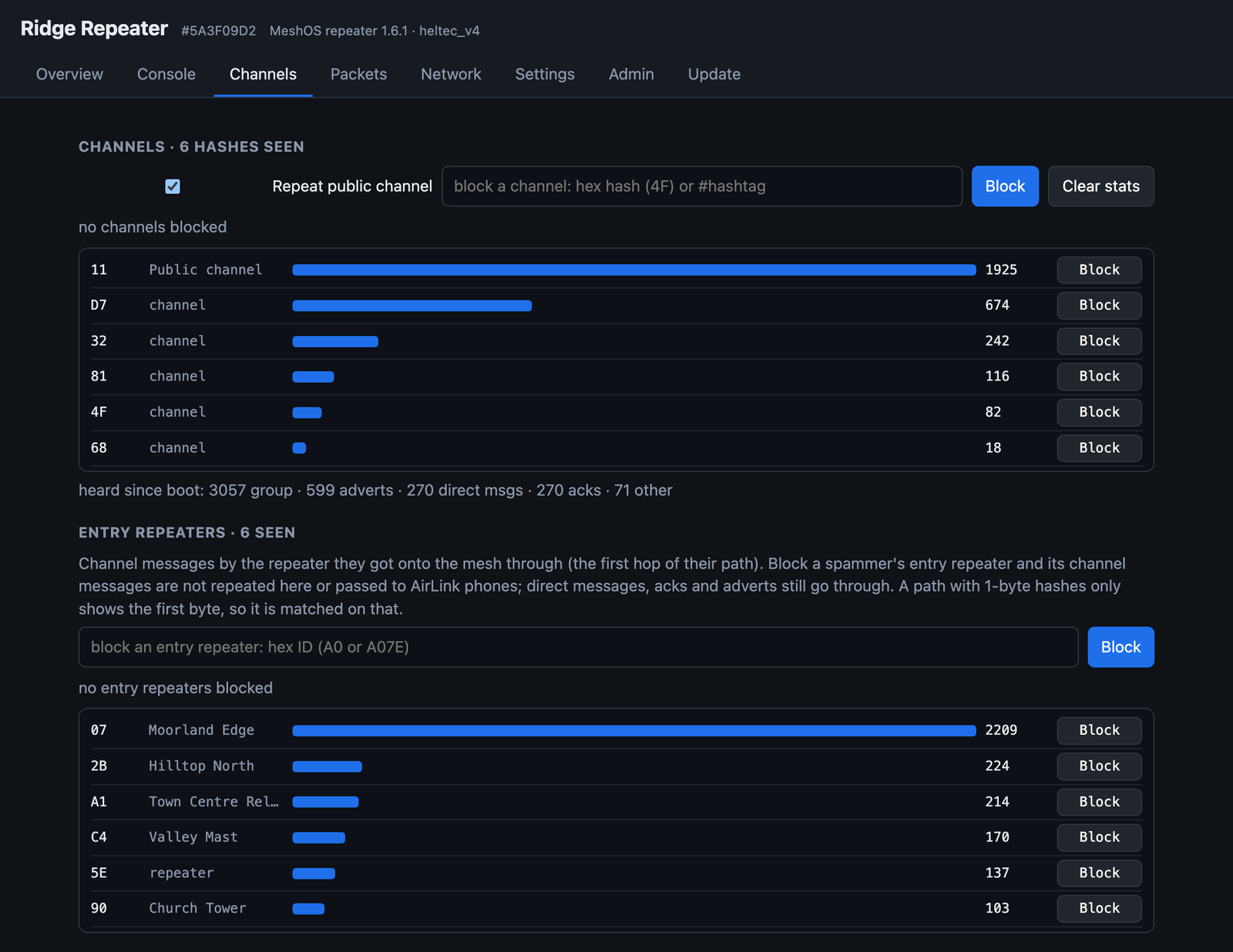
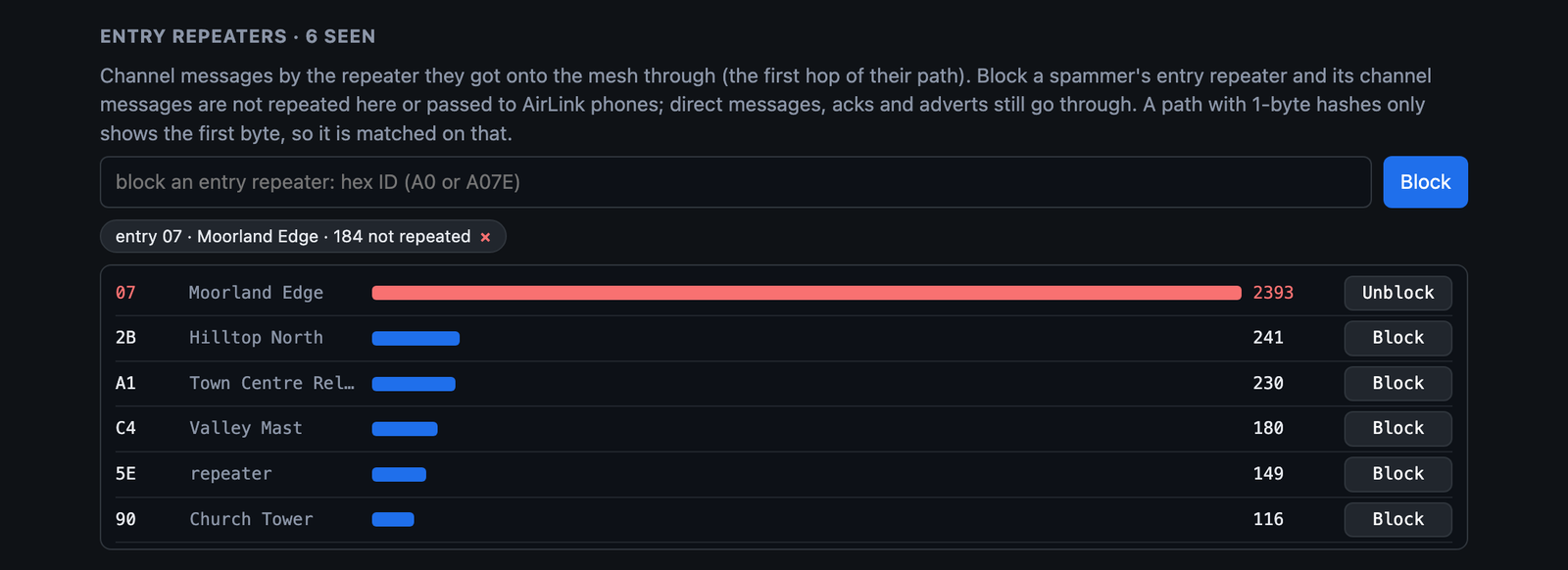
The Channels tab has two lists. The top one is every channel the repeater has heard, by hash, busiest first. The bottom one, Entry repeaters, counts channel messages by the repeater they got onto the mesh through. A spammer stands out a mile: here, nearly all of that Public traffic is coming in through 07.
One click to block it
Press Block on that row. The page tells you exactly what will happen before it does anything:
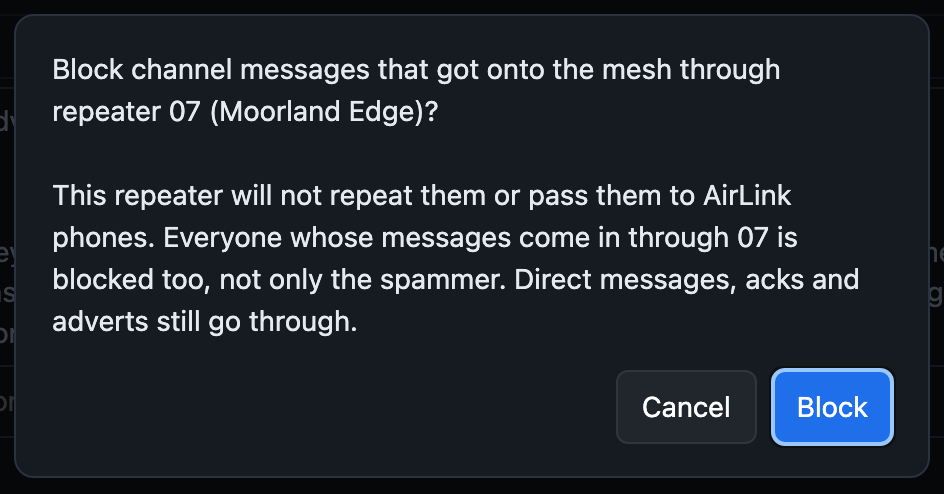
Once it is blocked the bar turns red, and the block keeps a running count of the messages it has kept off the air. Unblock, or the cross on the block, undoes it.
Packets tab: watch it work
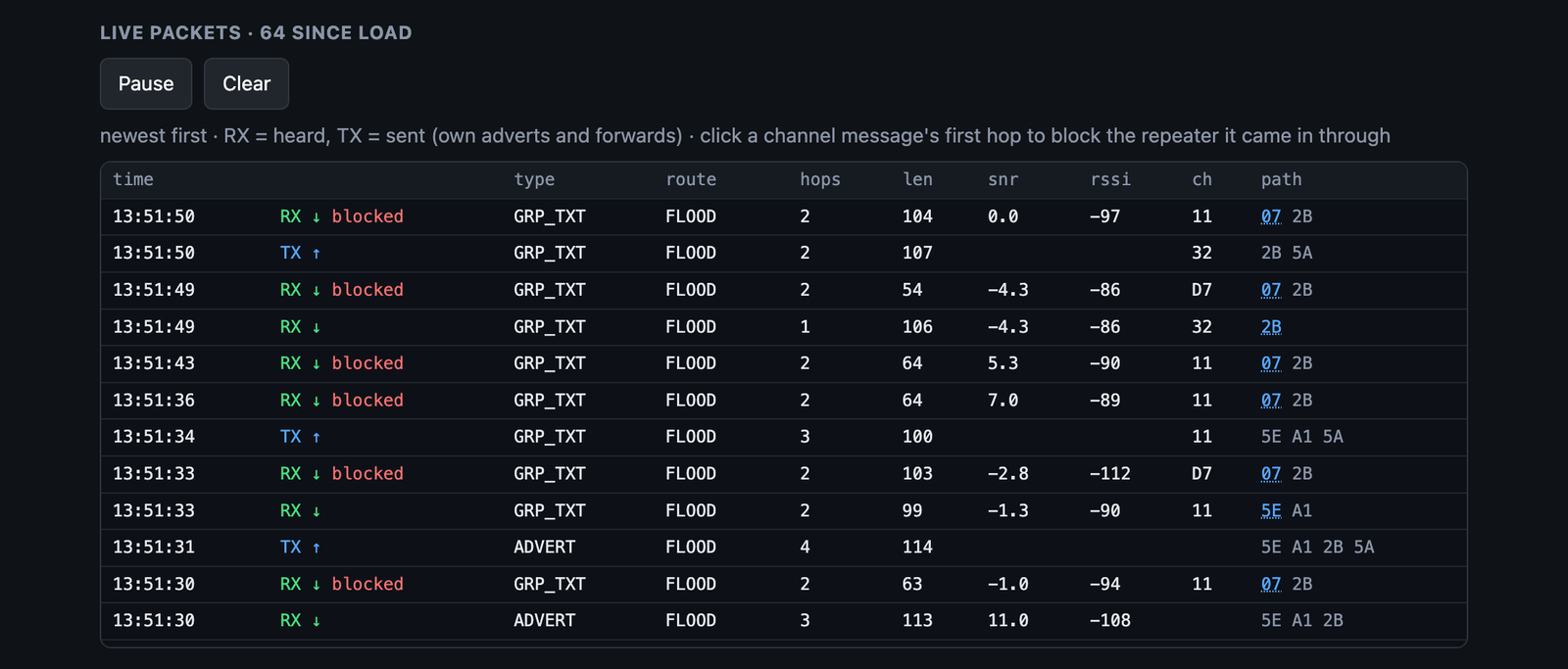
On the Packets tab the live log marks every message the block holds back, while everyone else's messages carry on being repeated. You can start a block from here too: click the first hop of any channel message (it is underlined) and you get the same question.
Phones on AirLink are covered too
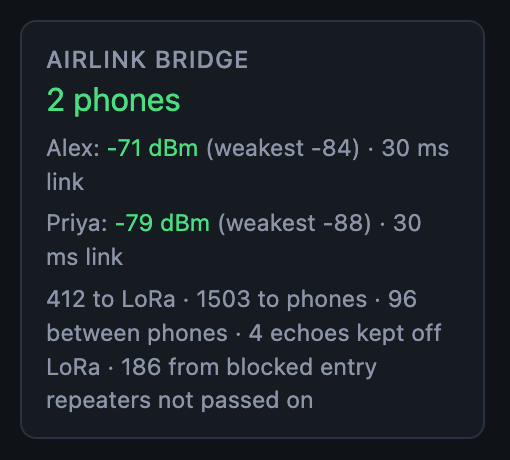
If your repeater runs the AirLink bridge, blocked messages are not passed to the phones on it either, and the AirLink card on the Overview counts them.
Blocking a whole channel
Sometimes the channel itself is the problem, a chatty bot channel for example. Type its #name or hash into the box at the top of the Channels tab, or press Block on its row, and the repeater stops repeating it. If you ever need to do that for Public, untick Repeat public channel.
Or from the command line
All of this works from the Console tab too, from Manage a repeater in the app, over USB, or over LoRa when you are logged in as admin:
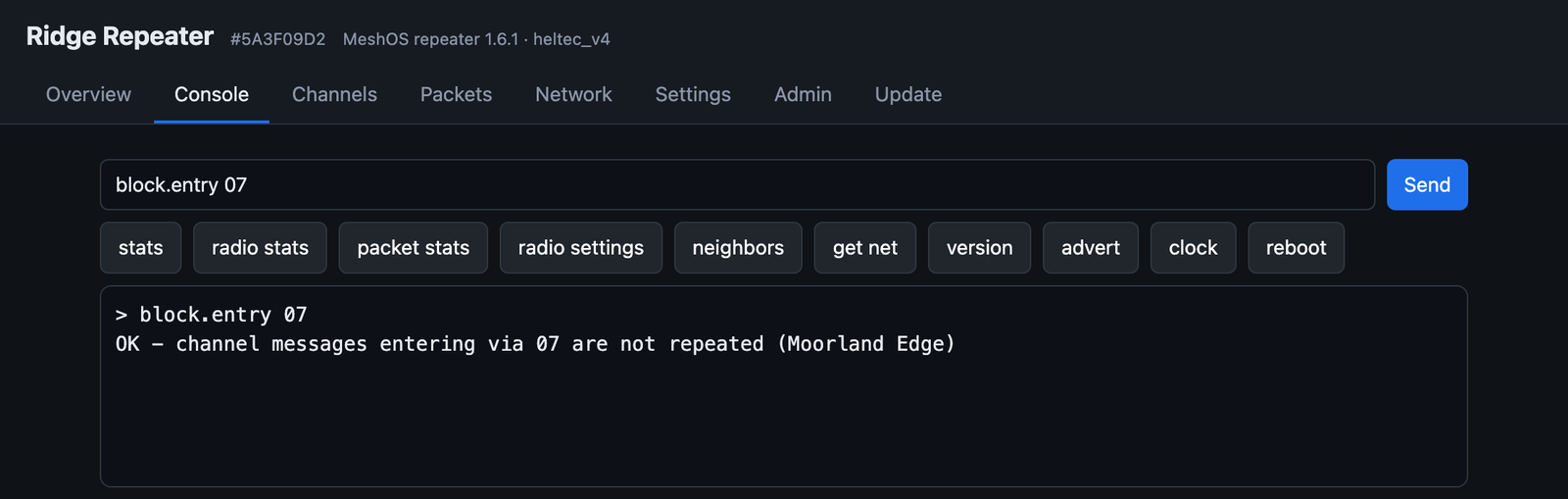
block.entry 07        stop repeating channel messages that came in through 07
get blocked.entry     list your blocks, and how many messages each has held back
unblock.entry 07      remove the block
block.channel #name   stop repeating a channel
The full list is on the new MeshOS Repeater Commands page in the user guide.
nRF52 repeaters: MeshOS Repeater Lite
Running a RAK, a T114, a T-Echo or another nRF52 board? MeshOS Repeater Lite is the standard MeshCore repeater with these same filters added. It has no web page, so you use the commands over USB or over LoRa, and chanstats and entrystats show you the busiest channels and entry repeaters. The user guide has the details.
Which should I use?
- The app when you want the spam gone from your own screen, right now. A couple of taps, it only changes your phone, and it is just as quick to undo.
- Your repeater when you want it stopped for everyone who uses your repeater. It stays until you remove it, so check the path first and use the longest ID you can see.
How to get it
The Spam Blocker is in the MeshOS app from 1.0.25, which you can get from meshcore.co.uk/app. The entry repeater block is in MeshOS Repeater 1.6.1 and MeshOS Repeater Lite 1.0, both in the configurator, and a MeshOS Repeater that is online can update itself from its Update tab.
Hopefully this keeps your local channels a nice place to be. If a spammer finds a way round it, let me know!
See you on the mesh!
Andy
73 de M6JKA